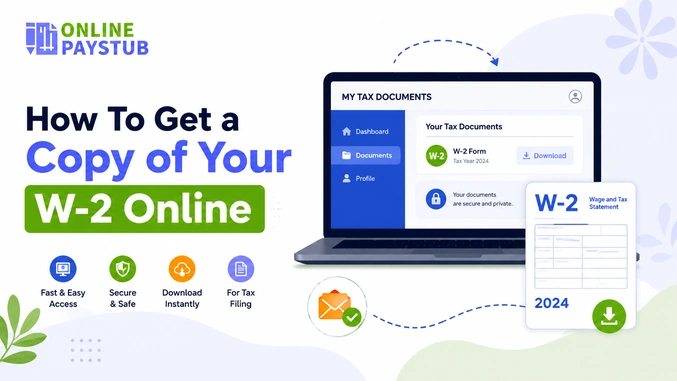
Tax season tends to catch you off guard. If you happen to be looking around your desk wondering where you placed last year’s paperwork, don’t worry; you’re not alone. One of the biggest tax headaches is misplacing a W2 and everyone has the question: how can I get a copy of my W2 online?
However, the good news is that, in most cases, it is quite easy to get a copy of your W2 without having to sift through your old mail or have to contact your old employer to find one.
Regardless of whether you’re in the process of filing your taxes for this year or applying for a loan that needs proof of income, you’ll need to know everything about how you can find your W2 online.
How to Find My W2 Online – What’s The Purpose?
The W2 form serves various purposes beyond being just a tax form. Whenever you intend to apply for a mortgage or vehicle loan, lenders will want it. Landlords may ask for proof of payment as confirmation of income as well. When seeking financial assistance or employment that requires verification of previous income, the document will also come into play. Hence, you need to know how to access your W-2 online, even if it is not tax season.
How to Get My W2 Online: Start With Your Employer
Usually, the easiest way to retrieve your W2 online is to get it from your present or previous employer. Most companies today have a payroll provider that provides employees with access to a self-service portal, and you are likely to find your W2 on that portal by the end of January.
To obtain a w2 form online from your employer, follow these simple steps:
Step 1: Check your employer’s payroll portal. Common payroll portals used by companies include ADP, Paychex, Gusto, and Workday. If your employer uses any of the above-listed payroll providers, log in to the portal using your employee login and search for a “Tax Documents” or “W-2” section.
Step 2: Check your emails. Many companies using payroll systems send an email notification that lets you know once your W-2 form is ready, with a link to download it.
Step 3: Contact HR directly. Should you fail to find the portal or forget your login, getting in touch with HR via email or phone may help too. HR can help you get access to the portal or send you the W-2 via email.
In case you no longer work for the company, don’t worry, as some payroll portals will let you do so.
How to Get Your W2 Online for Free Through the IRS
In case your employer has shut down, gone bankrupt, or simply does not respond, you have the IRS as your backup option. This is also the way to go in order to know how to get a W-2 for previous employment that you had several years ago.
Here is what you need to do:
-
- Ask for a Wage and Income Transcript. Though it is not a W-2 form itself, it contains all the necessary information about the wages and withholding. You can do this by using the IRS “Get Transcript Online” tool, and it costs you nothing.
- Time of processing. If you use online transcript requesting, then it will be available right away, whereas a mail request will require 5 to 10 days to process.
- Restrictions. The IRS stores this information only for the last 10 tax years, so if you need a W-2 for a longer period of time, you should contact the payroll provider of your employer or request Form 4506 to get a copy of the actual return.
This solution will be particularly helpful if you need to know how to get a W-2 online for free.
What to Do If You Still Can’t Find Your W2
In case all these avenues haven’t helped at all, then try out these alternatives as well:
- Get in touch with the payroll service provider directly, even if you don’t have any login credentials to do so. Most popular services have special helpline numbers for former employees.
- Submit your income tax returns using Form 4852. The form serves as an alternative for your missing W-2 and helps you estimate the total amount of money that you earned and withheld on your last paycheck.
- Mark your calendar now so as not to forget this next year. Once you find your W-2 forms, print a PDF copy of it.
- You can consider the pay generated by a pay stub generator as proof of income.
Final Thoughts
Regardless of whether it is your first time looking for a W2 online or you are searching for a form related to an employment that you had a few years ago, chances are high that you will find a way to get hold of the form without having to wait for it to arrive through the mail.
FAQs
1) How can I get my W-2 online for free?
The best free alternative is the employer’s payroll portal (ADP, Paychex, Gusto, Workday, and so forth). If there is no such thing, you can request a free Wage and Income Transcript that has the same information.
2) How do I find my W-2 online if I no longer work there?
A former employee will have access to his previous employer’s payroll portal. First, you should try resetting your password; if this does not work, contact the payroll provider directly, the HR department,t or use the IRS transcript alternative.
3) How can I get an old W-2 from several years ago?
Wage data are kept by the IRS for 10 years; they can give you a transcript for this time period. Anything that happened before will require contacting the payroll provider of your previous employer.
4) How long does it take to get a W-2 online?
Using the employer’s portal, the information becomes immediately available after the upload of the document. Using the IRS website, an online request takes minutes, while mailed requests are available within 5 to 10 business days.
5) What if I can’t get my W-2 in time to file taxes?
For filing purposes, you can fill out Form 4852. This way, you will be able to estimate your wages and withholding from the last paycheck of the year.
Also Check:
How to Get Your Home Depot Pay Stub and W2
How to Get Pay Stubs From ADP?
What Does OASDI Mean on Your Paycheck?
Form W2 vs W4: Understanding the Differences?